IRON NEST Languages and Readability: Verify the Text You Operate
A practical guide to IRON NEST language support and readable operation: what the current Steam listing confirms, why interface language is not a full accessibility verdict, and how to test critical text.
IRON NEST is a game about reading before acting. Teleprinters carry directives and frontline calls; the map holds geometry; the calculator and physical controls expose values that must be transferred correctly. Language support and text readability are therefore operational concerns, not just store-page preferences.
The current full-game Steam listing marks interface support for 16 languages: English, French, German, Spanish (Spain), Simplified Chinese, Traditional Chinese, Portuguese (Brazil), Ukrainian, Japanese, Russian, Korean, Czech, Polish, Italian, Spanish (Latin America) and Turkish. The demo listing has its own language table and should be checked separately. These tables are the strongest current source for advertised interface support. They are not a guarantee that every text type, font size, controller prompt, full-audio line or image annotation is equally available in every build.
This guide gives a way to verify the language you need where it matters: in the operator workflow.
Read the Steam language table precisely
Steam uses separate columns for interface, full audio and subtitles. On the current IRON NEST full-game listing, the language entries are marked in the interface column; the reviewed table does not present a blanket full-audio or subtitle checkmark across all those languages. That does not mean a player will hear no sound or receive no text. It means the store’s stated categories should not be expanded beyond what they show.
Use accurate phrases such as “Steam lists Simplified Chinese interface support” rather than “the entire game is fully localized in Simplified Chinese.” The latter would require a broader current-build test of dialogue, mission briefings, images, achievements, menus, accessibility text and patch notes.
The demo’s table may differ by one or more language entries. A demo is a separate application with a separate store listing. Do not assume that the full game’s count automatically applies to an older or separately updated demo.
Why readability matters more here
In some games, a translation gap is inconvenient but does not stop the player from moving through a level. In IRON NEST, a small misunderstanding can travel through the entire firing chain. A misread observer label can place a bearing from the wrong point. A faint decimal or grid character can create the wrong range. An unclear shell-state label can invalidate a calculator setup. A long message can include an objective condition that an abbreviated summary misses.
The official store description confirms that the player receives High Command and frontline information, works from map measurements and matches charges with elevation. That makes clear text functional. A language or display check should be performed at these exact surfaces, not only at the main menu.
Do not assume that a larger monitor automatically solves all readability issues. Contrast, font rendering, UI scale, controller focus, display resolution and viewing distance can all influence whether a map label or teleprinter line is usable in practice.
A five-screen localization test
After selecting your preferred language in the current build, test five places:
- Main menus and settings. Can you identify language, controls, display and back/confirm actions without switching languages?
- Teleprinters and mission briefings. Can you read sender, target condition, coordinates, bearing, distance and shell instructions without truncation or unclear characters?
- Tactical map. Are grid labels, markers, tool prompts and measurement values legible at the distance you actually play?
- Calculator and physical controls. Can you distinguish input labels, selected state, units or output readouts from nearby decorations?
- Outcome and progression screens. Can you read objective updates, medals, Steam notices and any errors or warnings?
Take notes on the exact screen and language if something is unclear. “Chinese text is broken” is not a useful report. “Simplified Chinese mission text overlaps the range field at this resolution in the calculator screen” can be tested and fixed.
Preserve important original terms
For information-heavy play, it can help to retain the original interface term beside a translated note. This is not a demand to play in English. It is a way to avoid confusion when a guide, screenshot or support response uses a field name from another language version.
For example, copy the full current objective text, then record the exact map marker or calculator label you see. If another player needs to reproduce an issue, they can match the screen rather than guessing how a particular term was rendered. This is especially helpful for abbreviations or task-card labels, whose expansion may not be publicly documented.
Do not “correct” a translation from historical artillery terminology unless the current game gives you evidence. The game’s fictional, alternate-history setting and UI conventions govern its words. A real-world term that looks familiar can still have a different in-game meaning.
Interface support is not accessibility certification
A checkmark in Steam’s language table does not establish accessible font scaling, color-blind options, screen-reader compatibility, input remapping, dyslexia-friendly typography, subtitle timing, every image description or one-handed control support. Those are separate questions that require direct current-build observation or a dedicated official accessibility statement.
The same caution applies to hardware. A language can be listed while a Steam Deck screen, small laptop panel or unusual display scaling makes it uncomfortable. Test the workflow under your actual conditions. See IRON NEST on Steam Deck and controls and interface for device-aware checks.
This is not pessimism. It lets readers distinguish a clear confirmed claim—interface-language availability—from a personal comfort claim that must be tested.
Reporting a language or readability problem
Make a report reproducible. Include the exact game version, selected language, platform, display resolution, UI scale if available, screen name, field or message, input device and a screenshot where permitted. State expected and actual behavior. If a phrase appears untranslated, quote the phrase rather than paraphrasing it. If text clips or overlaps, include enough surrounding UI to show the layout.
Avoid assuming that a missing translation is intentional or that a translation issue changes game mechanics. Describe what the player can see. Developers and community support can then decide whether it is a localization, font, layout, stale-build or configuration issue.
Keep store claims current
Language tables can change as updates arrive. The correct count is the one on the live Steam page, not a remembered list from a review, a trailer or an early demo. Check the full-game and demo tables separately before recommending a purchase to someone who needs a particular language.
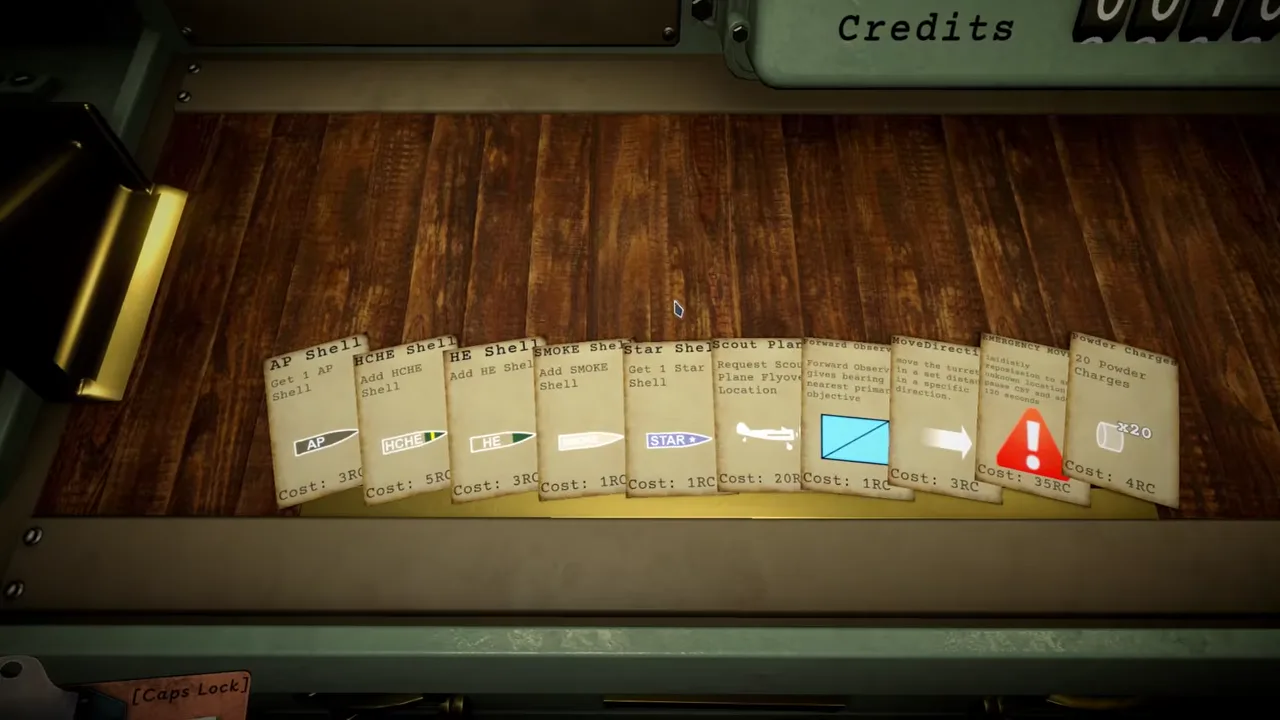
The official-video frame on this page is an editorial illustration of the game’s documents and instruments. It is credited with its timestamp and source. It does not itself prove a language option or a specific translation; that proof comes from the current store table and current in-game test.
The dependable conclusion
IRON NEST’s current Steam listing advertises interface support in 16 languages. That is a useful and concrete starting fact. Because the game makes text, grids and numerical labels operationally important, players should still test teleprinters, map tools, calculator fields, physical control readouts and outcome text in their chosen language.
Treat language support as confirmed store metadata and readability as a current personal verification task. That gives you a safer answer than either dismissing a listed language or promising a complete localization experience the sources have not described.
Frequently asked questions
Which languages does IRON NEST officially list?
The current full-game Steam page lists interface support for 16 languages, including English, Simplified Chinese, Traditional Chinese, French, German, Spanish, Portuguese, Ukrainian, Japanese, Russian, Korean, Czech, Polish, Italian and Turkish. Check the live table for changes.
Does an interface-language checkmark mean every text element is translated?
No. It confirms the store's interface-language support field. Test the teleprinter, map, mission text, menus and achievement screens in the current build for the material you personally need to read.