How to Detect a Stale Firing Solution in IRON NEST
A structured troubleshooting guide for cases where an IRON NEST calculation looked correct but no longer matched the current target, turret position or physical settings.
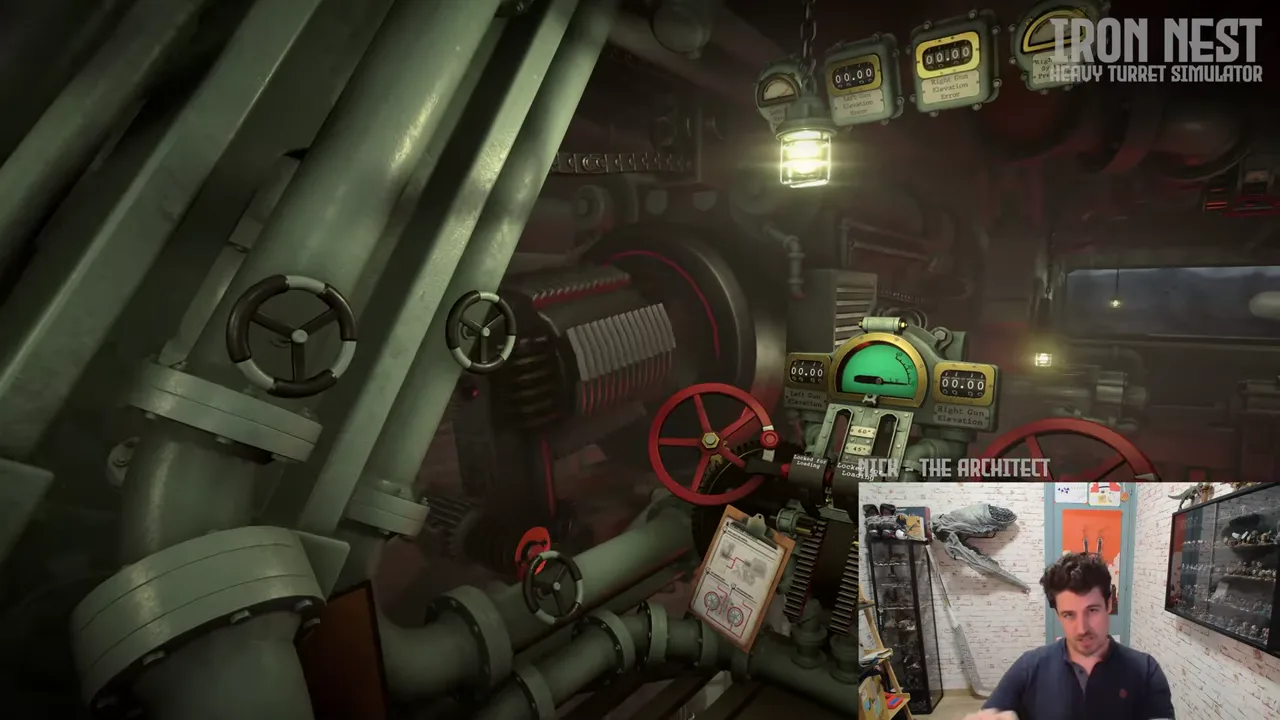
In IRON NEST, a firing solution can look perfectly reasonable and still be the wrong solution to use now. The current Steam listing describes a manual sequence involving source-aware reports, an interactive map, a ballistic calculator, ammunition choice, charges, elevation and heavy turret movement. Those steps are connected in time. A value calculated at one moment can become stale when the target is revised, the turret is repositioned, a different shell is selected or a physical control remains set to an earlier plan.
“Stale firing solution” is a troubleshooting label, not an official error message. It means the information on hand no longer belongs to one current, coherent shot. The key is to diagnose staleness before assuming that the game’s math, objective or controls are broken. The calculation may be correct for its old inputs. The problem may be that the player is now asking it to answer a different question.
Recognize the warning signs
The most common sign is a mismatch between confidence and context. You have a number written down or displayed, but you cannot quickly say which target mark, report, ammunition choice, turret position and objective it represents. Another sign is a plan that changed in one room while a setting remained in another. The target was moved on the map; the calculator was not refreshed. A new report corrected the location; the gun is still aligned for the first report. A shell was changed; the previous elevation is still assumed to apply.
Do not wait for a dramatic miss to begin checking. A long interval between calculation and firing, a turret move, a switch to another task, a new teleprinter message or an interrupted interaction are ordinary reasons to pause. The Steam page describes heavy traverse and possible machine failure, so time and mechanical state can be part of the problem. This does not mean every delay invalidates every value. It means a delay is a reason to verify whether the value still refers to the present state.
The safest first question is: “What exact shot was this solution made for?” If you cannot answer in a short sentence, treat it as provisional and rebuild the evidence chain.
Rebuild from the earliest changed input
When a solution looks stale, do not immediately adjust elevation at random. Start at the earliest known change. If a report changed, return to the report and identify the new claim. If the target mark changed, verify the map relationship. If the turret moved or the operator repositioned, treat the position and bearing relationship as worth checking again. If a shell or charge changed, verify which calculator inputs and gun settings now apply.
This order prevents a compounded error. For example, recalculating range for a target that was still plotted incorrectly only produces a newer wrong number. Changing a charge before confirming the target can create an untraceable mixture of old and new decisions. A careful rebuild moves from evidence to spatial placement to calculation to physical controls, matching the workflow advertised on the product page.
There is no need to invent an exact internal invalidation rule. The current interface is authoritative for its visible prompts and state. This guide supplies a diagnostic order that remains useful when the game does not label a value as “stale” for you.
Audit target identity and map state
The Steam listing says information arrives through High Command and frontline radio traffic, and that the player should track who said what. Use that structure. Identify the report or objective that generated the current target. Is it still active? Did a newer message refine the location, change the priority or introduce a different target? Are you looking at the same point that the earlier solution used?
Then inspect the map state. A plotted marker is an intermediate claim, not the target itself. Confirm whether the marker represents the latest justified reading of the report and whether it is being measured from the current turret position. Do not rely on a remembered location after a significant change. A target that is correct in absolute map terms can still be associated with a different relative bearing or range after the operating position changes.
If the map evidence is unclear, write that down rather than guessing. A clean “target identity uncertain” diagnosis is more useful than a confident but ungrounded correction. It tells you where the next test belongs.
Recalculate with explicit inputs
Once target identity and map state are secure, rebuild the ballistic calculation. Record the inputs that matter in the current build and note the resulting settings. This is not a request to reconstruct hidden equations; it is a way to make the displayed workflow traceable. The official page confirms that the game includes a ballistic calculator and asks the Operator to calculate trajectory, so a deliberate re-entry is part of the intended operational work.
Be especially careful with any setting carried over from another shot. A result without its input context is just a number. Link it to the target mark, current position, selected shell and charge state. If the calculator presents a value that surprises you, do not silently overwrite it with a remembered answer from another mission. Compare the inputs first. A discrepancy may be a simple transcription error, a revised target or a sign that the old note belongs elsewhere.
If you cannot reproduce a calculation, capture the visible inputs and report the context rather than claiming that the system is inconsistent. The difference between “I obtained two results” and “the calculator is faulty” is evidence.
Reconcile the physical controls before firing
The manual sequence continues after calculation. The Steam page describes choosing ammunition, setting charges and elevation and turning the massive turret. Verify that the visible gun state matches the freshly rebuilt plan. Check shell choice, charge, elevation, direction or traverse state and any readiness indicator that the current build exposes. If the game displays a visible mechanical fault or refuses an interaction, record that as part of the state instead of treating it as a mysterious change to the target.
This step catches the final type of staleness: a new calculation paired with old physical controls. It is easy to calculate correctly and then fire the configuration that was already prepared. The solution is not extra speed; it is one last explicit reconciliation between plan and machine.
Do not assume a universal controller layout or hidden input rule. The live build should guide interaction. The troubleshooting method works across layouts because it asks whether the displayed state corresponds to the intended configuration.
Use aerial evidence to localize the problem
IRON NEST advertises aerial photographs after strikes and persistent battlefield scars. Use them to compare the planned shot with the observed effect. A visible impact away from the expected area may point toward target placement, range, direction, configuration or another input. It does not, on its own, prove which one. The goal is to narrow the next check, not to claim a complete damage-model explanation.
Record the outcome in relation to the rebuilt solution. If the target was newly mapped, do not compare the image to an old mark. If a shell change occurred, note that too. Then change the smallest justified variable in a second attempt. A clean retest can reveal more than several hurried adjustments because it preserves the link between cause and effect.
Do not confuse staleness with every other problem
Some issues are not stale solutions. An unresponsive control may be an input, interaction or device problem. A mission that does not update may need objective wording checked. A performance hitch may affect timing without changing a correct calculation. A save or cloud conflict is a separate recovery question. The point of this guide is not to make every symptom a ballistics issue; it is to rule out an easily missed configuration mismatch before escalating the diagnosis.
If the same result occurs after a fresh, documented rebuild, preserve the reproduction steps. Include the current version, mission context, report text, target mark, calculator inputs, gun state and observed outcome. That record is useful for personal learning, community comparison or an official issue report.
A compact stale-solution reset
When in doubt, stop and state the current target. Re-read the relevant report. Verify the map mark and current position. Recalculate with explicit current inputs. Confirm shell, charge, elevation and turret state. Check visible readiness. Fire only when those parts describe one shot, then review the aerial consequence. If a new report, target, position or ammunition choice changes, repeat the affected stage instead of trusting an orphaned number.
That process is slower than guessing once, but faster than trying to diagnose a miss whose inputs were never truly the same solution.
Frequently asked questions
What is a stale firing solution?
A result that may have been valid for an earlier target, position or configuration but is no longer tied to the current state when the player is ready to fire.
Does a stale value prove that the calculator is wrong?
No. The calculator can return a sensible result for its inputs while the player has changed another connected part of the firing setup.