Counter-Battery Fire and Repositioning in IRON NEST
How the developer described requested movement versus emergency repositioning, why relocation invalidates firing data, and how to rebuild a solution safely.
Counter-battery pressure turns location into a consumable resource. The longer a heavy artillery position remains active, the more urgently the operator may need to move. In IRON NEST, relocation is not only an escape animation. It changes the origin from which every target bearing and range was measured.
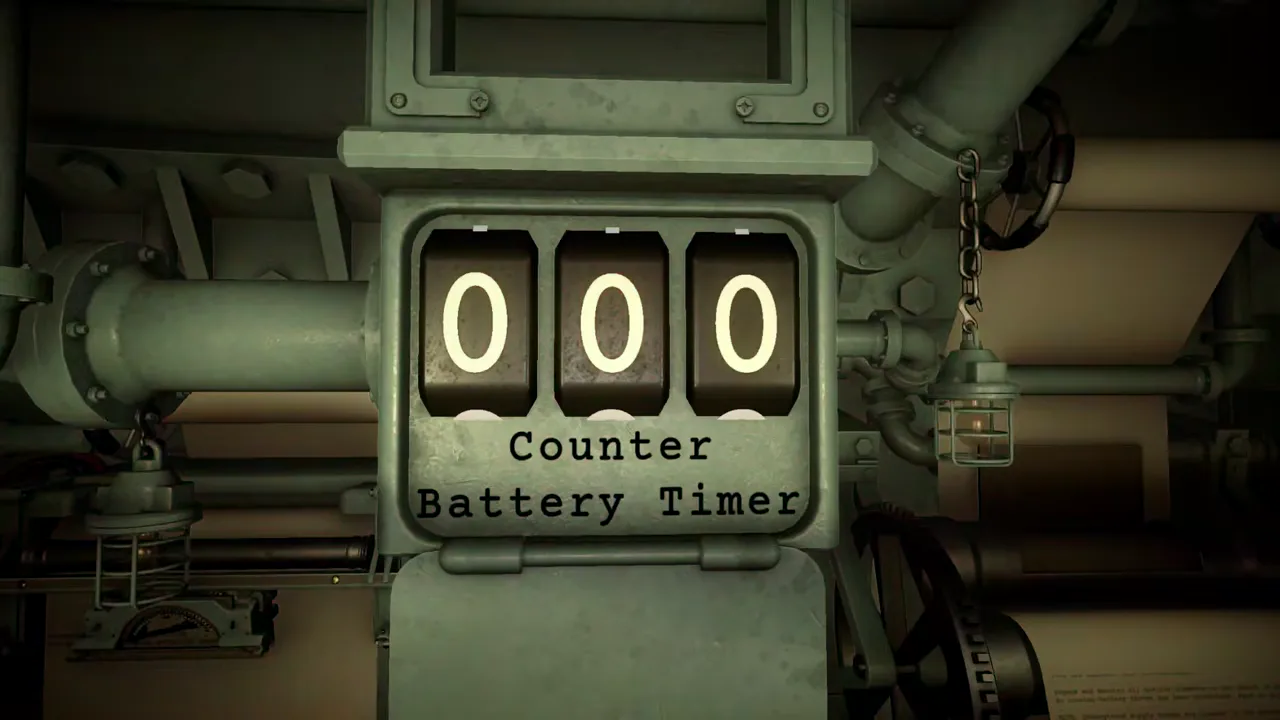
The official demo trailer clearly shows a mechanical “Counter Battery Timer,” captured in the frame above. In the May 2026 developer Q&A, Nick Talmers described movement options executed through the requisition console: a move to a specific location that buys time without stopping the timer, and an emergency reposition that pauses the timer but sends the operator somewhere initially unknown.
The developer said those options had already been introduced in the build available at that time. Because the answer predates the August version 1.0 launch, this page preserves it as a dated official statement until the exact released mission and timer behavior are checked directly.
What counter-battery fire changes
Ordinary firing procedure assumes the turret’s position is known. Observer reports locate a target, then the operator measures from IRON NEST to obtain gun bearing and range. The calculator turns that range and a selected charge into elevation.
A counter-battery threat adds a deadline to the process. Remaining stationary may preserve every current solution, but it exposes the position. Moving may improve survival or buy time, but it invalidates geometry based on the old origin.
That tradeoff is more interesting than a generic countdown. The player chooses between preserving information and preserving safety, then pays the operational cost of whichever option they select.
The specific-location move
In the Q&A, the developer said the requisition console can move the IRON NEST to a specific location. He described this as buying time while not stopping the timer.
The important advantage is positional certainty. If the destination is known, the operator can mark it on the tactical map and begin rebuilding target-relative data immediately. Existing target markers may remain useful, but their bearing and range from the old turret position do not.
“Buys time” should not be converted into an exact number without released-build evidence. The phrase describes the tradeoff; mission UI determines the actual timer change.
Emergency reposition
The second option was emergency repositioning. According to the developer, it pauses the timer but leaves the operator somewhere they do not know exactly. The player must perform calculations to establish the new position before firing efficiently again.
This option solves the immediate countdown problem by creating an intelligence problem. Every turret-relative solution is unusable until the new origin is known. Even a target already plotted perfectly cannot supply a firing bearing or range from an unknown position.
The word “pause” comes from the May Q&A. Verify whether version 1.0 pauses, resets or otherwise changes the visible timer before turning the statement into current optimization advice.
Why old firing solutions become stale
A bearing describes direction from a point. A range describes distance from a point. When IRON NEST moves, that point changes. The target can remain stationary while both values change.
Powder charge and elevation depend on the old range, so they also become suspect. The shell type may still match the objective because target effect has not changed, but every location-dependent value must be recalculated.
Write “OLD POSITION” across previous bearing, range and elevation notes immediately after movement. Do not rely on memory to keep old and new solutions separate under time pressure.
Rebuilding after a known move
If the new location is specified, use this recovery sequence:
- Confirm the destination coordinate on the map.
- Move or recreate the IRON NEST marker at that coordinate.
- Preserve the existing target marker only if the target is confirmed unchanged.
- Measure new turret-to-target bearing and range.
- Re-enter distance in the ballistic calculator.
- Select the intended powder charge and obtain new elevation.
- Transfer bearing and elevation to the gun.
- Verify shell, charge and readiness before firing.
Do not shortcut by estimating how much the old bearing “should” change. The map can measure the new relationship directly.
Rebuilding after an emergency move
Emergency reposition adds a prior step: determine where IRON NEST now is. The Q&A says calculations are required but does not provide the exact version 1.0 method in the cited segment. Follow mission reports, landmarks, bearings or other released tools rather than inventing a navigation system.
Keep candidate positions separate from confirmed position. If several observations define lines or distance constraints, plot them from their stated origins and find the supported intersection. Only then move the turret marker.
Once the origin is established, proceed through the normal measurement and calculator chain. An approximate origin produces approximate bearing and range, so do not call a solution efficient until the position evidence is adequate.
Choosing between the two options
The Q&A describes their consequences but not a universal best choice. A known move preserves destination certainty while the timer continues. Emergency movement gains immediate timer relief at the cost of location knowledge.
Evaluate current conditions:
- How much time does the released timer show?
- Is a destination specified and tactically usable?
- Is there enough information to relocate after an emergency move?
- Are active targets stationary and still relevant?
- How much of the current firing chain must be rebuilt?
Those questions organize the decision without fabricating exact thresholds.
Common post-move mistakes
The most common error is reusing the old range because the target has not moved. Range belongs to both target and origin; a stationary target does not preserve it.
Another error is updating bearing but keeping old elevation. If range changed, the charge–elevation pair must be recalculated. A third is moving the map marker but forgetting that the physical turret is still laid to the previous bearing.
Finally, operators can mix notes from two positions. Add a position identifier to every solution: “Position A — Target 7” and “Position B — Target 7.” Cross out the first rather than leaving both active.
When the timer and mission state disagree
If version 1.0 behavior differs from the May description, trust the released UI and current patch notes. Check whether movement completed, whether a mission condition prevents another requisition and whether the visible timer has a documented pause state.
Do not repeatedly operate movement controls while the system is in transition. A second input can make it harder to identify the actual location or expected state. Preserve screenshots or notes for a reproducible bug report if the timer appears stuck.
This page does not diagnose software defects from a pre-release statement alone. It separates the intended tradeoff from current implementation evidence.
Counter-battery readiness checklist
Before firing from a position under threat, keep the turret coordinate clearly marked, label all solutions with that position and know where the requisition console is. When the timer becomes urgent, choose a movement option deliberately.
After any move:
- invalidate old bearing, range and elevation;
- establish the new turret coordinate;
- retain target markers only if targets remain valid;
- remeasure from the new origin;
- recalculate charge and elevation;
- verify the physical gun state before firing.
The timer creates pressure, but the recovery procedure should remain methodical. IRON NEST rewards the operator who understands that survival and accuracy depend on the same fact: knowing exactly where the machine is.
Frequently asked questions
What movement options did the developer describe?
The May 2026 Q&A described moving to a specific location through the requisition console, which buys time without stopping the timer, and an emergency reposition that pauses the timer but leaves the operator at an initially unknown location.
Why do shots miss after repositioning?
Bearing and range are measured from the turret's position. Moving changes that origin, so solutions based on the previous location become stale even if the target has not moved.
Is this exact behavior confirmed in version 1.0?
The developer said the options had already been introduced in the then-current May build, and official video shows a Counter Battery Timer. This page still labels exact timer behavior as an official pre-release statement until the released mission is checked directly.