IRON NEST Platform Features vs Gameplay Systems
Separating Steam services from in-game systems
How to read IRON NEST Steam feature labels without confusing platform services such as achievements and cloud saves with the game’s manual artillery mechanics.
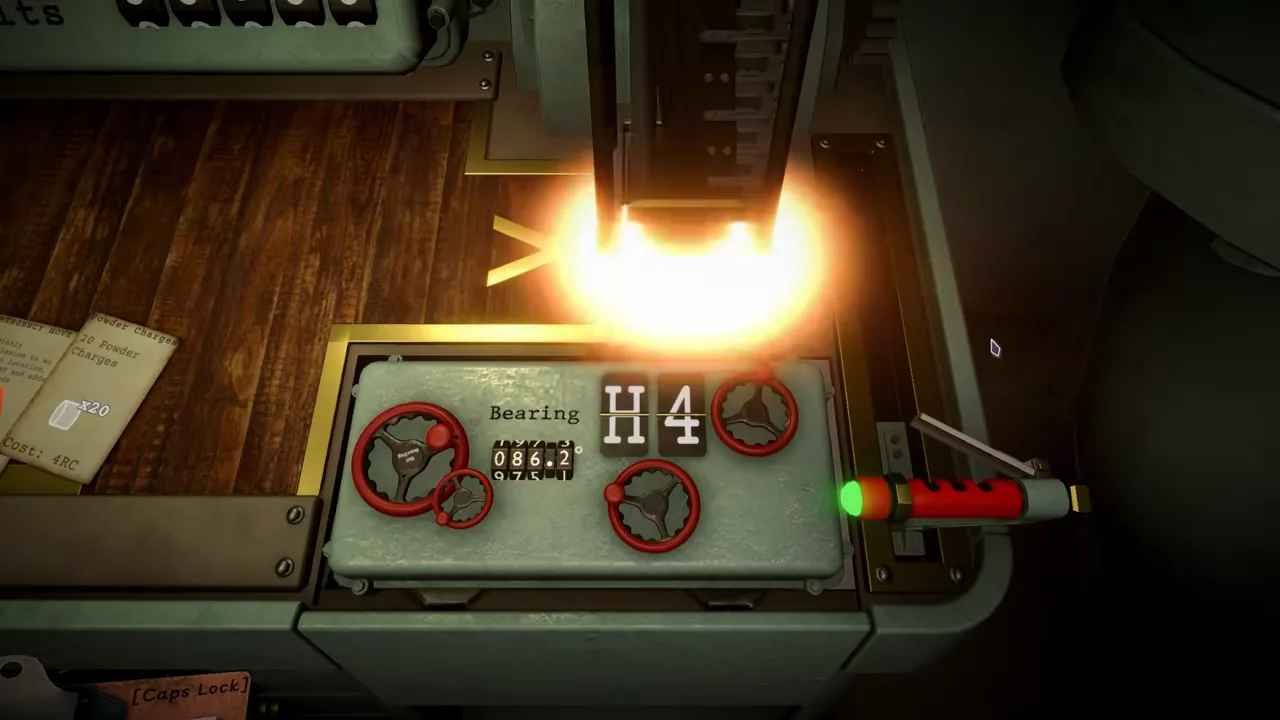
A platform badge is evidence for a service, not a full description of an in-game system.
IRON NEST’s Steam product page contains two kinds of information that are easy to blur together. One kind describes the game itself: a single-player Operator works a massive turret using reports, maps, ballistics, ammunition, charges, elevation, traverse and aerial evidence. The other kind describes Steam-platform services: achievements, Steam Cloud, Family Sharing and other storefront labels. Both are useful facts, but they answer different questions. A player who treats one as evidence for the other can end up making false promises about progression, saves or gameplay systems.
The current listing is clear enough to establish several boundaries. It shows 33 Steam achievements and Steam Cloud as platform features. It also advertises more than 100 unlockable medals as part of the wider game. These are not automatically one shared counter, one unified reward system or one evidence trail. The page confirms their presence at the stated level; it does not publish every trigger, unlock order, synchronization edge case or cross-system relationship.
Read the feature area and game description separately
Store pages are built to present product information efficiently, not to provide a technical design document. A feature badge such as “Steam Cloud” identifies an integration or service. A paragraph about manual artillery work describes the game’s intended interactive loop. A count such as “33 Steam achievements” belongs to the platform achievement layer. A statement about over 100 medals belongs to the product’s advertised in-game progression or recognition layer.
Start by asking which question you are trying to answer. If the question is “does this release advertise Steam Cloud?” the feature badge is strong evidence. If the question is “what causes a particular medal to unlock?” the badge cannot answer it. If the question is “how does an Operator aim?” use the gameplay description and current interface, not an achievements count. This simple separation prevents a surprising number of inaccurate explanations.
The demo has a separate Steam listing. Its feature labels should be read as evidence about that demo listing, not automatically copied to every full-game service or progression claim. Check the relevant live page when the distinction matters.
Achievements and medals have different scopes
The full Steam page currently presents 33 Steam achievements and separately advertises more than 100 unlockable medals. The defensible conclusion is that the game has both a platform-achievement layer and a larger advertised medal layer. It is not defensible to claim that every medal maps to a Steam achievement, that every achievement is a medal, or that a number displayed in one system must update in the other at the same time.
For players troubleshooting a missing unlock, the first step is to identify which system is expected. Is the missing item visible in Steam’s achievements interface, in the game’s own medal presentation, or only described by a guide? Record the current build, relevant objective and visible result. Then check the exact current wording before attempting recovery. A platform achievement can have different conditions and synchronization behavior from an in-game medal, even when both reward a related action.
Do not invent hidden achievement conditions from names, community anecdotes or assumptions about campaign order. The store count is a count, not a trigger guide. The same caution applies to the medal total: it establishes scale, not a complete public reward table.
Steam Cloud is a service label, not a save-state diagnosis
Steam Cloud being listed is useful. It tells a purchaser that the product advertises Steam’s cloud-save support. It does not tell you whether a particular machine has finished uploading, which version will win in a conflict, whether local files are intact or whether a certain mission state will be restored after an interruption. Those are runtime and account-state questions that require current visible evidence.
When a save issue appears, avoid destructive troubleshooting before recording the state. Note the platform, current build, last known save point, visible sync messages and whether the symptom reproduces after a safe restart. Do not delete local data or force a sync without understanding the risk. The feature label may support the expectation that cloud support exists; it cannot guarantee a particular recovery result.
This boundary is useful beyond saves. Store services are integrations with conditions. The game’s manual stations, objectives and firing configurations are in-game state. A clear report says which layer is involved.
Family Sharing and single-player labels do not define mechanics
The full product listing labels IRON NEST as single-player and includes Family Sharing among its Steam features. These facts help a player understand access and session structure at the storefront level. They do not describe the number of fictional operators inside the turret, the scope of any companion feature, whether a mission uses crew management or how campaign responsibility is represented.
The official gameplay description is stronger for those questions. It consistently frames the player as one Operator whose work crosses multiple stations. It does not advertise a multiplayer mode or a named-crew management system. That is a better basis for explaining the interaction model than a platform feature badge.
Similarly, a store language table speaks to interface, subtitle or audio availability at the time of reading. It does not prove the readability of every screen, accessibility of every control or quality of a translation in a particular mission. Use it as a starting point for a local test, not as an accessibility guarantee.
Platform features can support useful, narrow advice
Keeping boundaries does not make platform information less useful. Steam achievement support tells collectors where one official progress surface exists. Steam Cloud support tells a player which service to check when managing saves. Family Sharing tells an eligible household account something about access. A current list of supported languages tells a player which interface options are advertised. These are actionable facts when stated at the right scope.
The error is adding more than the label supports. “Steam Cloud is listed” is confirmed. “My progress will always recover automatically” is not. “The product includes 33 Steam achievements” is confirmed. “Every challenge medal becomes a Steam achievement” is not. “The store lists single-player” is confirmed. “The game has no other narrative characters” is not a conclusion the badge can prove.
Good wiki writing uses the narrow statement first, then directs the reader to the current in-game interface or official source for more specific behavior.
A practical lookup order
For a gameplay question, start with current in-game text and the official gameplay description. For a platform question, start with the relevant current Steam feature badge. For a progression question, identify whether the interface says Steam achievement or in-game medal. For a save question, record current cloud and local state before changing anything. For a demo question, use the demo listing rather than assuming it mirrors the full release.
This order is especially helpful after updates. Store labels can change, demos can have separate scopes and gameplay details can be refined by patches. Date sensitive claims and distinguish the platform layer from the actual operation of the turret.
The dependable conclusion
IRON NEST’s Steam page is a strong source for both platform features and game description, provided each is read in its proper domain. Achievements, Steam Cloud, Family Sharing and language labels describe storefront-integrated services or availability. Reports, maps, calculation, shell choice, gun controls and aerial outcomes describe the heavy-artillery game itself. Medals belong to the advertised in-game progression context and should not be merged automatically with Steam achievement counts.
Keeping those layers separate gives players clearer expectations and makes troubleshooting safer. A platform badge is evidence. It is not a substitute for current in-game state.